Copy
Type with the full sentence visible to learn spelling, rhythm, and structure.
BestLearn for macOS
No browser and no context switching. Open a lightweight practice bar and turn spare moments into focused input with copy, dictation, and cloze exercises.
Three-stage practice
Work through the same material with copy, dictation, and cloze. Prompts fade gradually, moving memory from recognition to active recall.
Type with the full sentence visible to learn spelling, rhythm, and structure.
Listen and type without seeing the sentence, connecting sound with accurate spelling.
Use limited clues to actively recall the missing parts of a sentence.
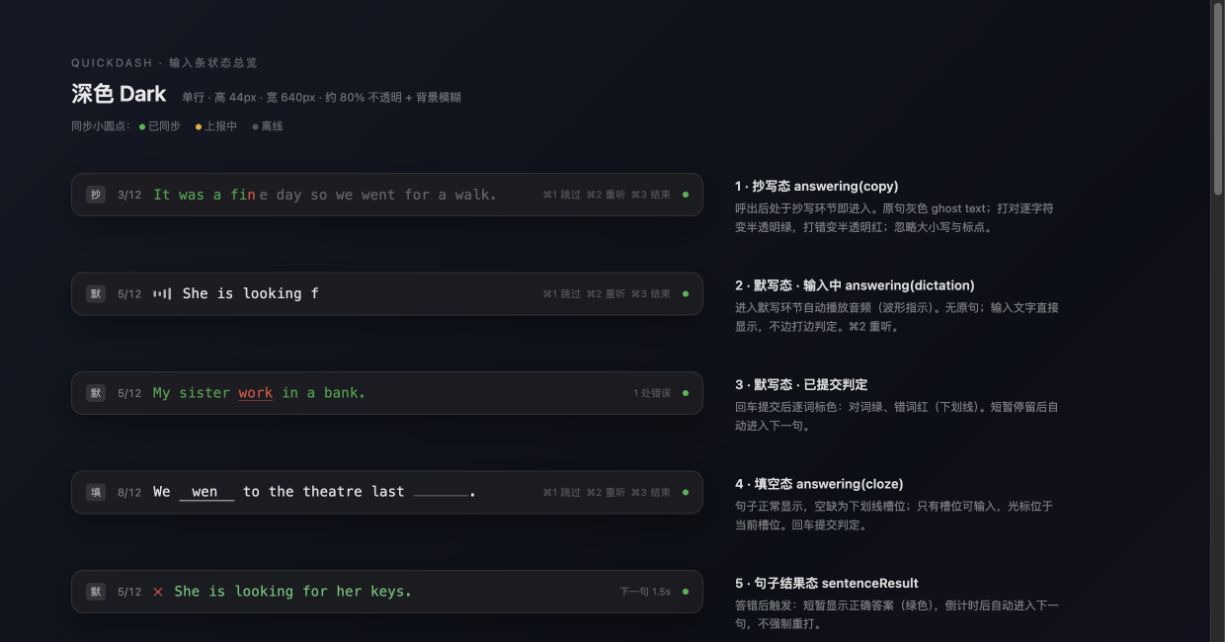
Designed for anytime practice
Show or hide BestLearn above any app with a global shortcut, without breaking your flow.
Choose courses, switch stages, replay, skip, and finish without reaching for the mouse.
Courses and results stay on your device, so learning continues without a connection.
Import sentences, translations, and audio from CSV to create personal practice material.
Add a personal API key to sync website courses and practice records.
Light and dark appearances keep the app focused without taking over your screen.
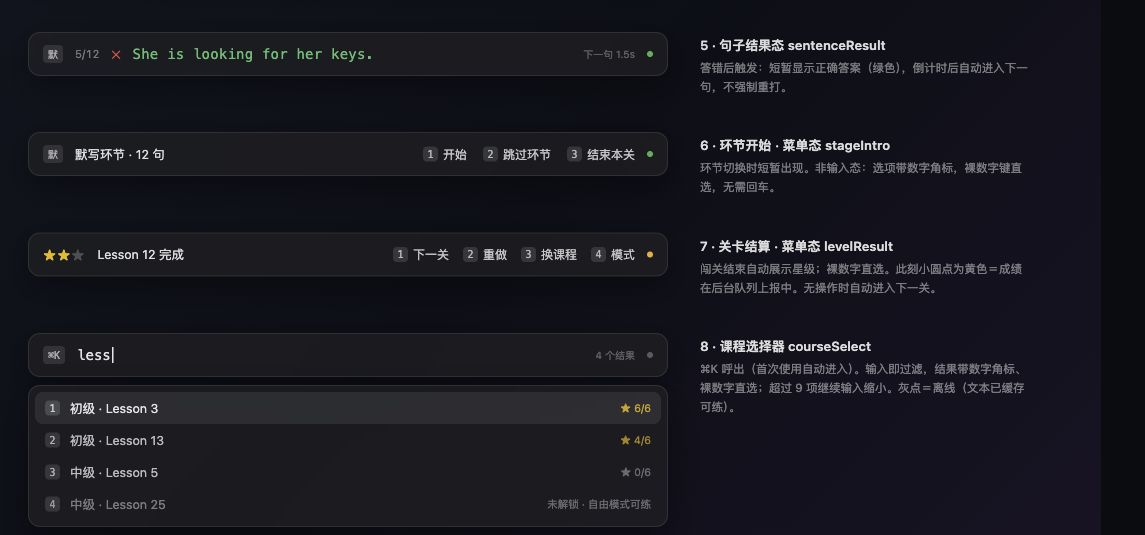
One learning flow
BestLearn keeps course browsing, sentence practice, and results in one compact flow. Continue with another set or return to what you were doing.
Content and data
Connect to BestLearn or work entirely with your own material. Your learning content and records stay under your control.
BestLearn sync
Create a personal API key on the website, paste it into the app, then sync courses and practice records.
Custom courses
Fill the template with English, translations, and audio URLs, then practice it like any built-in course.
Local-first
Results are saved on your device first and can sync when the network returns.
Get started
Keep the default key combination or choose one that fits your workflow.
Sync with a BestLearn API key or import your own CSV course.
Press the shortcut in any work context and continue from where you left off.
Download for macOS
Download the Apple Silicon build and open English practice from any workflow with one shortcut.
macOS · Apple Silicon (arm64) · DMG
After moving BestLearn to Applications, open Terminal and run:
sudo xattr -rd com.apple.quarantine /Applications/Bestlearn.appThis removes the macOS quarantine attribute so the unsigned build can open. You normally only need to run it once.